Chromecast with Google TV: Complete Guide and Review 2026

Les 3 points à retenir
- 1Chromecast with Google TV 4K (~$50)
- 2Chromecast with Google TV HD (~$30)
- 3Google TV Streamer 4K (~$100)
What Is the Chromecast with Google TV?
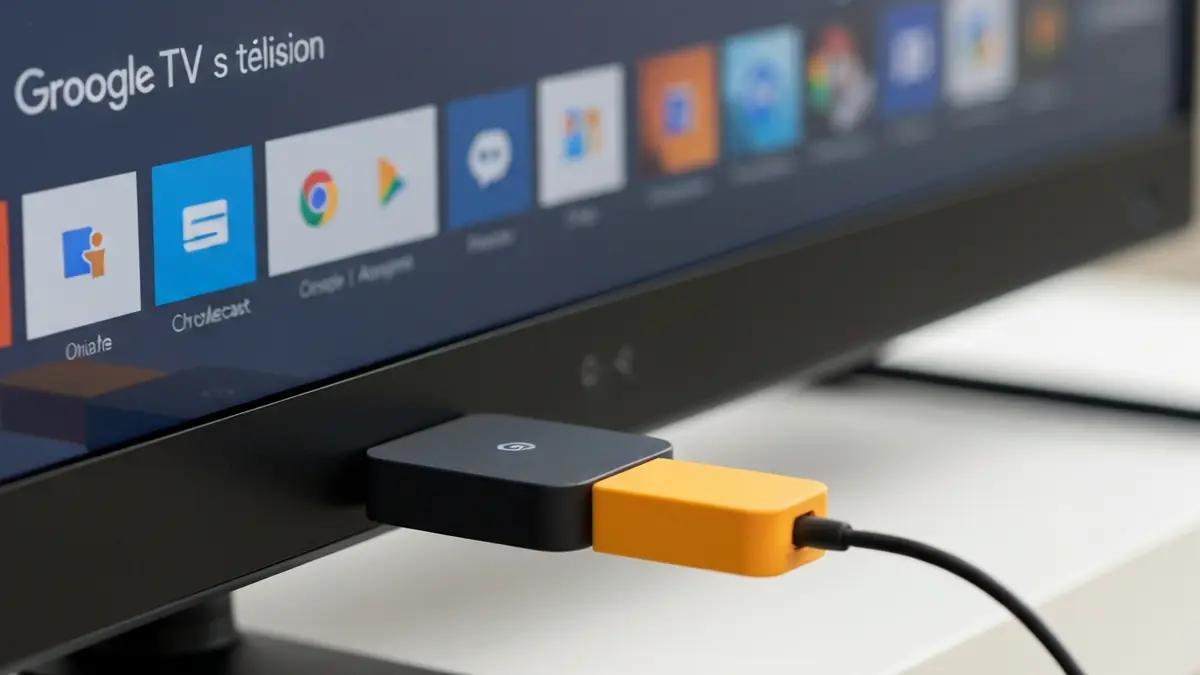
The Chromecast with Google TV is Google's streaming dongle that plugs into your TV's HDMI port and turns any television into a full-featured smart TV. Unlike the original Chromecast devices that only received cast content from a phone or computer, the Chromecast with Google TV includes a complete interface, a voice-enabled remote control, and direct access to hundreds of streaming apps.
For anyone looking to upgrade their TV experience without buying an entirely new set, a chromecast tv device remains one of the simplest and most affordable ways to access Netflix, Disney+, Amazon Prime Video, YouTube, and virtually every other major streaming service.
A Brief History of Chromecast
The original Chromecast launched in July 2013 as a $35 HDMI dongle that could only receive "cast" content from other devices. No interface, no remote — just a receiver.
Google iterated with the Chromecast 2 (2015), Chromecast Ultra (2016, first 4K model), and Chromecast 3rd Gen (2018). All maintained the same cast-only approach.
The turning point came in September 2020 with the Chromecast with Google TV. For the first time, Google included a full interface — Google TV — with a remote, personalized recommendations, and direct app access. This put the Chromecast in direct competition with Amazon's Fire TV Stick and Roku.
In 2022, Google released the Chromecast with Google TV (HD) at a lower price point. Then in September 2024, the lineup evolved with the Google TV Streamer 4K, a premium device replacing the Chromecast Ultra.
Current Models
Chromecast with Google TV 4K (~$50)
The flagship model offers exceptional value:
- Resolution: 4K HDR (HDR10, HDR10+, Dolby Vision)
- Audio: Dolby Atmos, Dolby Digital Plus
- Interface: Google TV with personalized recommendations
- Remote: built-in mic for Google Assistant, volume/power control
- Storage: 8 GB (~5 GB usable)
- Connectivity: HDMI 2.0, USB-C power
- Wi-Fi: 802.11ac (2.4 and 5 GHz)

Chromecast with Google TV 4K
Google's reference 4K streaming dongle. Google TV interface, Dolby Vision, Dolby Atmos, voice remote included.
Chromecast with Google TV HD (~$30)
The budget option for 1080p TVs or secondary rooms. Same Google TV interface and remote as the 4K model, limited to 1080p HDR output and no Dolby Atmos support.
Google TV Streamer 4K (~$100)
Launched September 2024, the Google TV Streamer 4K is Google's new premium offering:
- Resolution: 4K HDR (Dolby Vision)
- Audio: Dolby Atmos
- Processor: significantly faster than the Chromecast
- Storage: 32 GB (four times the Chromecast)
- Connectivity: HDMI 2.1, USB-C, built-in Ethernet port
- Smart Home: built-in Matter/Thread hub
- Design: set-top box form factor (not a dongle)
Google TV Streamer 4K
Google's premium streaming box. Faster processor, 32 GB storage, Ethernet port, Matter/Thread smart home hub built in.
The deciding factor between the Chromecast 4K and the Google TV Streamer is often the Ethernet port. If your TV is far from your router or you experience frequent buffering, the Streamer's built-in Ethernet permanently solves the problem.
The Google TV Interface
Google TV is the software layer that separates the modern Chromecast from its cast-only predecessors. Built on Android TV, it adds a personalized recommendation layer that aggregates content across all your streaming services.
The home screen surfaces recommendations based on your viewing habits across Netflix, Disney+, Prime Video, YouTube, and other services. Google Assistant lets you search by voice — "Show me sci-fi movies from the 2020s" — and control playback, smart home devices, and more. And Chromecast built-in means you can still cast from your phone or browser at any time, exactly like the original Chromecast.
Streaming App Compatibility
The chromecast tv ecosystem supports virtually every major streaming service:
- Netflix — full catalog, 4K Dolby Vision and Atmos
- Disney+ — 4K Dolby Vision and Atmos
- Amazon Prime Video — 4K HDR10+ and Atmos
- YouTube / YouTube Premium — 4K HDR
- Apple TV+ — 4K Dolby Vision and Atmos
- HBO Max, Hulu, Peacock — full 4K support where available
- Spotify, YouTube Music, Tidal — music and podcasts
- Twitch — live game streaming
Setup Guide
Setup takes about 5 minutes:
- Plug the Chromecast into an HDMI port on your TV
- Connect the USB-C power cable to the included power adapter (do not use the TV's USB port — it usually does not provide enough power)
- Turn on your TV and select the correct HDMI input
- Download the Google Home app on your phone and follow the on-screen setup: Wi-Fi connection, Google account sign-in, streaming app selection
- The remote auto-configures to control your TV's volume and power via IR and HDMI-CEC
Enable HDMI-CEC in your TV's settings (sometimes called Anynet+, Simplink, Bravia Sync, or Viera Link depending on the brand). This lets the Chromecast remote turn your TV on and off automatically.
Casting vs Google TV Interface
The Chromecast with Google TV offers two distinct ways to watch:
Google TV mode: Use the remote to browse the interface, launch apps, and control playback. This is the primary, most comfortable daily experience.
Cast mode: Select content on your phone or tablet, tap the Cast icon, and it plays on your TV. The Chromecast connects directly to the streaming service — your phone just serves as the remote. Great for sharing photos, personal videos, or content from apps without Google TV versions.
Both modes coexist seamlessly. You can switch between them at any time without conflict.
Cloud Gaming
The Chromecast with Google TV serves as an accessible entry point to cloud gaming:
- GeForce NOW (Nvidia): Play your Steam, Epic, and Ubisoft Connect games in streaming up to 4K 60fps (Ultimate subscription required)
- Xbox Cloud Gaming: Hundreds of games included with Game Pass Ultimate
Minimum 25 Mbps for 1080p, 40 Mbps for 4K. An Ethernet connection (via the Google TV Streamer or a USB-C adapter) is strongly recommended to minimize latency.
Comparison Table
| Feature | Chromecast 4K | Google TV Streamer | Fire TV Stick 4K Max | Apple TV 4K | Nvidia Shield TV Pro |
|---|---|---|---|---|---|
| Price | ~$50 | ~$100 | ~$60 | ~$179 | ~$200 |
| Resolution | 4K HDR | 4K HDR | 4K HDR | 4K HDR | 4K HDR |
| Dolby Vision | Yes | Yes | Yes | Yes | Yes |
| Dolby Atmos | Yes | Yes | Yes | Yes | Yes |
| Storage | 8 GB | 32 GB | 16 GB | 64/128 GB | 16 GB |
| Ethernet | No | Yes | No | Yes | Yes |
| Voice Assistant | Alexa | Siri | |||
| Smart Home Hub | No | Matter/Thread | Zigbee/Thread | Thread | No |
Pros and Cons — Chromecast with Google TV 4K
Pros
Cons
Which Device Should You Buy?
Chromecast with Google TV 4K — best value for 4K streaming. The right pick for most people who want a simple, complete, and affordable streaming dongle.
Chromecast with Google TV HD — if your TV is 1080p, your budget is tight, or you are equipping a secondary room.
Google TV Streamer 4K — the best Google has to offer. More storage, better performance, Ethernet, and Matter/Thread smart home hub. The choice for your main living room TV.
Apple TV 4K — if you are in the Apple ecosystem. AirPlay, Apple Music, Apple Arcade, and HomeKit integration are unmatched. Higher price, but premium build and performance.
Fire TV Stick 4K Max — if you are in the Amazon ecosystem (Prime, Alexa, Ring). Competitive pricing and deep Alexa integration.
Tips and Tricks
Sideloading apps: Enable "Unknown sources" in Settings > Security, install a file manager from the Play Store, then install APK files from trusted sources like APKMirror.
Only install APK files from trusted sources like APKMirror. Files from unknown sources may contain malware.
Ethernet adapter: Add wired connectivity to the Chromecast 4K with Google's official adapter (~$20) or a compatible USB-C to Ethernet adapter.
Free up storage: Uninstall unused apps, clear app caches via Settings > Apps, and disable pre-installed apps you do not use.
External storage: The Chromecast supports external storage via a USB-C hub. Connect a USB drive to expand available storage for apps and games.
Conclusion
The Chromecast with Google TV remains one of the best values in the streaming device market in 2026. For around $50, you get 4K Dolby Vision and Dolby Atmos, an intuitive interface, Google Assistant, and compatibility with virtually every streaming service.
The Google TV Streamer 4K at $100 represents a logical upgrade for those who want more storage, Ethernet, and smart home functionality without paying Apple TV prices.
Whichever model you choose, the Google TV ecosystem delivers a modern, smooth, and personalized streaming experience that turns any television into a premium smart TV — making the chromecast tv one of the smartest upgrades you can make for your home entertainment setup.

À propos de l'auteur
Sophie Laurent
Experte high-tech & audio
Ingénieure de formation, Sophie décrypte les technologies audio et vidéo pour vous aider à choisir le meilleur équipement selon votre budget.
You Might Also Like
Dolby Atmos at Home: A Complete Setup Guide
Everything you need to know about bringing immersive Dolby Atmos audio into your home theater — from equipment choices to room configuration and budget planning.
Best Dolby Atmos Soundbars in 2026: Complete Buyer's Guide
Our picks for the best Dolby Atmos soundbars in 2026 — from the Sonos Arc to the Sennheiser Ambeo Max, tested and compared for your home theater.